
Skip to content
Vilros

Start with the board in your hands.

Tell us what you have and we'll take you from the box to your first working project. No experience needed.

Already set up? Jump to your first project

Pick a board by what you want to make.

Both are great first boards. They're just good at different things.

A small computer

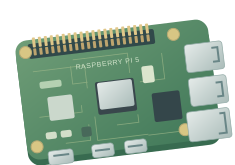
Raspberry Pi

Plug in a screen and keyboard and you have a desktop. Write code, make games, and build things that live on your network.

  • Learning to code with Scratch or Python
  • Games and retro consoles
  • Home servers and connected gadgets

A microcontroller

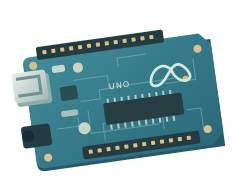
Arduino

It runs one program the moment it has power. Wire up a button or a sensor and it reacts right away.

  • Blinking lights and buttons
  • Reading temperature, light and motion
  • Robots and things that move
What do you want to make first?

Pick the closest one. You can always change your mind.

Our suggestion

Start with Raspberry Pi

Raspberry Pi is a small computer with a desktop, so you can code in Scratch or Python, play games and build connected gadgets.

Both boards can control electronics. This is a starting point, not a rule.

From the box to up and running.

Your first Pi desktop

Get the parts connected and the operating system ready, then follow the guide to your first boot.

About 30 minutes

  1. Gather the parts

    Your Pi, a microSD card, a power supply made for your model, a display cable, keyboard and mouse. Most Vilros kits include all of these.

  2. Prepare the microSD card

    In Raspberry Pi Imager, choose your board and Raspberry Pi OS, then write the card. If your card came preloaded, skip this step.

  3. Connect, then power on

    Plug in the display, keyboard and mouse first, and power last. The first boot walks you through language, Wi-Fi and a password.

A small win goes a long way.

Make one thing work. Then change it and make it yours.

More beginner projects
  • Scratch
  • Beginner
  • 60 to 90 min

Build your own Pong game

Two paddles, a ball and a scoreboard. You build it one block at a time, then change the rules. Runs on a Raspberry Pi or any computer.

Questions people ask first.

You don't need it all figured out before you begin. If you get stuck, we're here.

Do I need to know how to code?

No. Pick a beginner guide and go one step at a time. Scratch uses visual blocks, so you can make a working game before you write any text code.

Should I start with Raspberry Pi or Arduino?

Raspberry Pi is a full computer, good for apps, games and connected projects. Arduino is the direct route to buttons, lights and sensors. Both can control electronics, so pick the one closest to your first idea.

Compare the boards
I already have a kit. Where do I begin?

Find the board in your kit, then follow its setup steps. Check the kit's parts list before buying anything else: most Vilros kits include everything for the first boot.

Go to setup
My board is a Raspberry Pi Pico. Is this the right guide?

Not quite. Pico is a microcontroller, like Arduino, not a desktop computer. It doesn't run Raspberry Pi OS, so skip the Imager steps and follow the Pico documentation instead.

Raspberry Pi Pico documentation(opens in a new tab)
Something in my kit is missing or doesn't work.

Contact Vilros Support with your order number and a photo of the part. We'll sort it out.

Contact Vilros Support(opens in a new tab)