Sold Out
Pimoroni AUTOMATION:BIT Control And Monitor Your World!
See What 0 Happy Customers Said
About Their Purchase
Free Shipping
Couldn't load pickup availability
30-Day Easy Returns
Secure Checkout Guaranteed
Free Shipping in USA
30-Day Easy Returns
Secure Checkout Guaranteed
Free Shipping in USA
30-Day Easy Returns
Secure Checkout Guaranteed
Free Shipping in USA
30-Day Easy Returns
Secure Checkout Guaranteed
Free Shipping in USA
30-Day Easy Returns
Secure Checkout Guaranteed
Free Shipping in USA
30-Day Easy Returns
Secure Checkout Guaranteed
Free Shipping in USA
30-Day Easy Returns
Secure Checkout Guaranteed
Free Shipping in USA
30-Day Easy Returns
Secure Checkout Guaranteed
Free Shipping in USA
30-Day Easy Returns
Secure Checkout Guaranteed
Free Shipping in USA
30-Day Easy Returns
Secure Checkout Guaranteed
Free Shipping in USA
30-Day Easy Returns
Secure Checkout Guaranteed
Free Shipping in USA

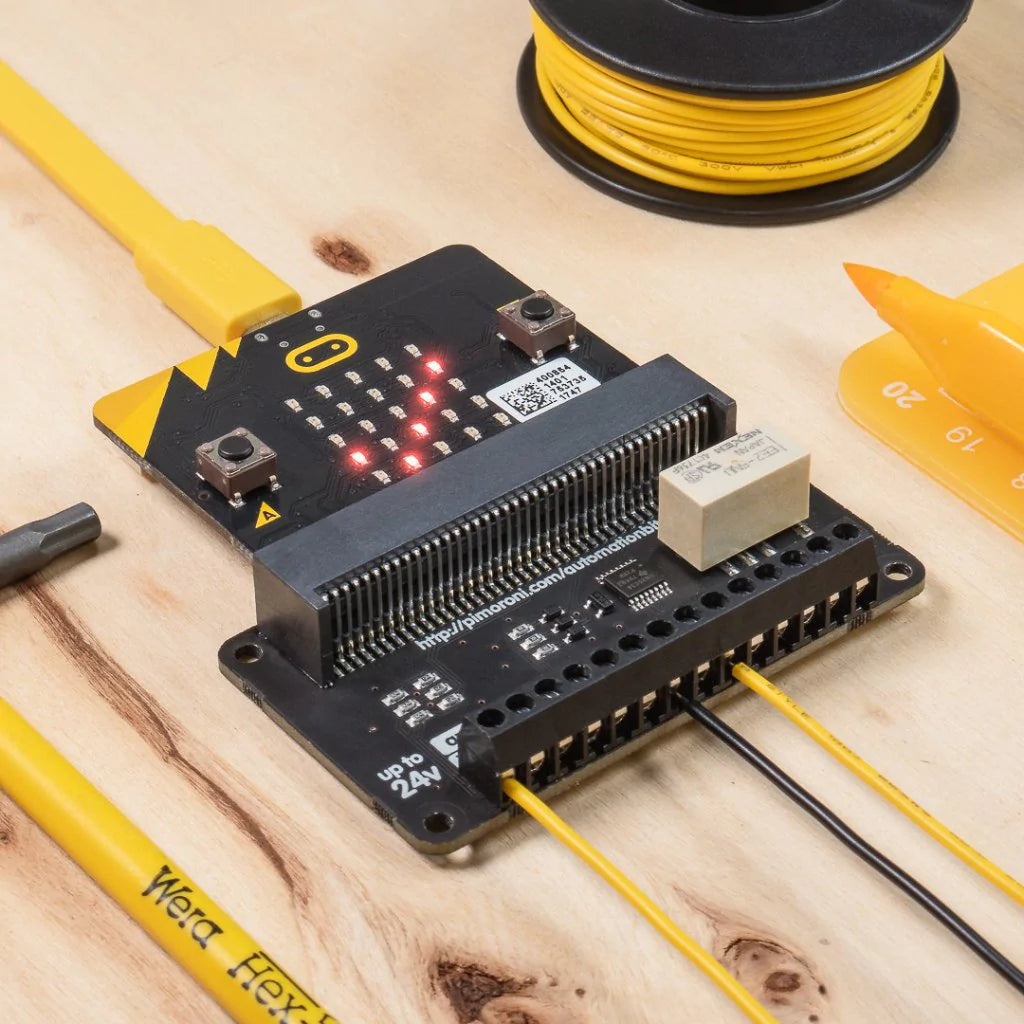
Control and monitor your world with automation: bit! It's tolerant of up to 24V, with analog and digital inputs, outputs, and a relay, so it's ideal for automating low-voltage systems in your home.
Just slot in your micro: bit, then code automation: bit with the block-based Microsoft MakeCode editor. Hook up buttons to the inputs, use the built-in buttons on the micro: bit, or the light-sensing capability of the LED matrix to control devices connected to automation: bit. Or why not use a second micro: bit's radio function as a remote control?
WARNING! automation: bit should not be used with voltages greater than 24V and especially not with mains voltages!
Features
- Comes fully-assembled and ready to use
- 1 x 24V @ 2A relay (NC and NO terminals)
- 3 x ADC channels (0-24V range)
- 3 x 24V tolerant buffered inputs
- 3 x 24V tolerant sinking outputs
- 3.5mm screw terminals
- Compatible with micro: bit and micro: bit v2
- Microsoft MakeCode support
- No soldering is required!
Software
You can code automation: bit with the block-based Microsoft MakeCode editor, which'll get you started with using all of the automation: bit's functionality.
- To add the automation: bit library in MakeCode, click on the cog at the top right-hand corner, then "Add Package", then enter the URL "https://github.com/pimoroni/pxt-automationbit". You can find full instructions in the GitHub repository for the library.
Description
Control and monitor your world with automation: bit! It's tolerant of up to 24V, with analog and digital inputs, outputs, and a relay, so it's ideal for automating low-voltage systems in your home.
Just slot in your micro: bit, then code automation: bit with the block-based Microsoft MakeCode editor. Hook up buttons to the inputs, use the built-in buttons on the micro: bit, or the light-sensing capability of the LED matrix to control devices connected to automation: bit. Or why not use a second micro: bit's radio function as a remote control?
WARNING! automation: bit should not be used with voltages greater than 24V and especially not with mains voltages!
Features
- Comes fully-assembled and ready to use
- 1 x 24V @ 2A relay (NC and NO terminals)
- 3 x ADC channels (0-24V range)
- 3 x 24V tolerant buffered inputs
- 3 x 24V tolerant sinking outputs
- 3.5mm screw terminals
- Compatible with micro: bit and micro: bit v2
- Microsoft MakeCode support
- No soldering is required!
Software
You can code automation: bit with the block-based Microsoft MakeCode editor, which'll get you started with using all of the automation: bit's functionality.
- To add the automation: bit library in MakeCode, click on the cog at the top right-hand corner, then "Add Package", then enter the URL "https://github.com/pimoroni/pxt-automationbit". You can find full instructions in the GitHub repository for the library.