


Vilros FunForce Touch Controller - Works with PC Mac and Raspberry Pi
Vilros FunForce Touch Controller - Works with PC Mac and Raspberry Pi
 See What 1 Happy Customers Said
About Their Purchase
Free Shipping
Remake the world by taking everyday objects and using them as an input device with the FunForce Touch Controller.
 30-Day Easy Returns
 Secure Checkout Guaranteed
 Free Shipping in USA
30-Day Easy Returns
Secure Checkout Guaranteed
Free Shipping in USA
30-Day Easy Returns
Secure Checkout Guaranteed
Free Shipping in USA
30-Day Easy Returns
Secure Checkout Guaranteed
Free Shipping in USA
30-Day Easy Returns
Secure Checkout Guaranteed
Free Shipping in USA
30-Day Easy Returns
Secure Checkout Guaranteed
Free Shipping in USA
30-Day Easy Returns
Secure Checkout Guaranteed
Free Shipping in USA
30-Day Easy Returns
Secure Checkout Guaranteed
Free Shipping in USA
30-Day Easy Returns
Secure Checkout Guaranteed
Free Shipping in USA
30-Day Easy Returns
Secure Checkout Guaranteed
Free Shipping in USA
30-Day Easy Returns
Secure Checkout Guaranteed
Free Shipping in USA


Vilros FunForce Touch Controller - Works with PC, Mac, and Raspberry Pi
Remake the world by taking everyday objects and using them as an input device with the FunForce Touch Controller.
- Easily connect the plug & play interface via USB port
- Compatible with Windows – Mac – Raspberry Pi
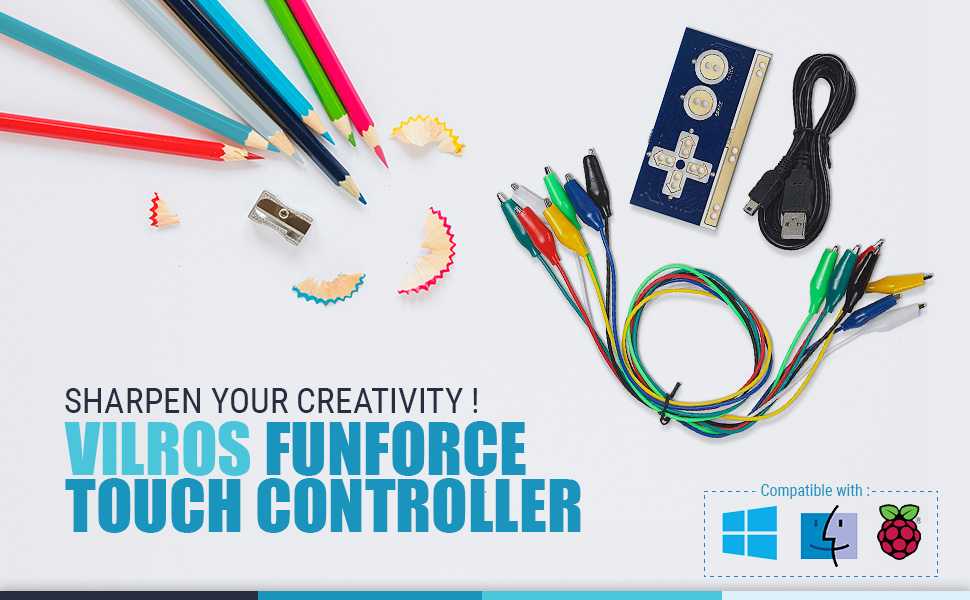
- Use the included alligator clips to attach everyday objects like Bananas, Potatoes, or even a cup of water to become your touch-controlled input device
- Go ahead and tap on the banana to control your internet games or programs!
Description
Vilros FunForce Touch Controller - Works with PC, Mac, and Raspberry Pi
Remake the world by taking everyday objects and using them as an input device with the FunForce Touch Controller.
- Easily connect the plug & play interface via USB port
- Compatible with Windows – Mac – Raspberry Pi
- Use the included alligator clips to attach everyday objects like Bananas, Potatoes, or even a cup of water to become your touch-controlled input device
- Go ahead and tap on the banana to control your internet games or programs!


